
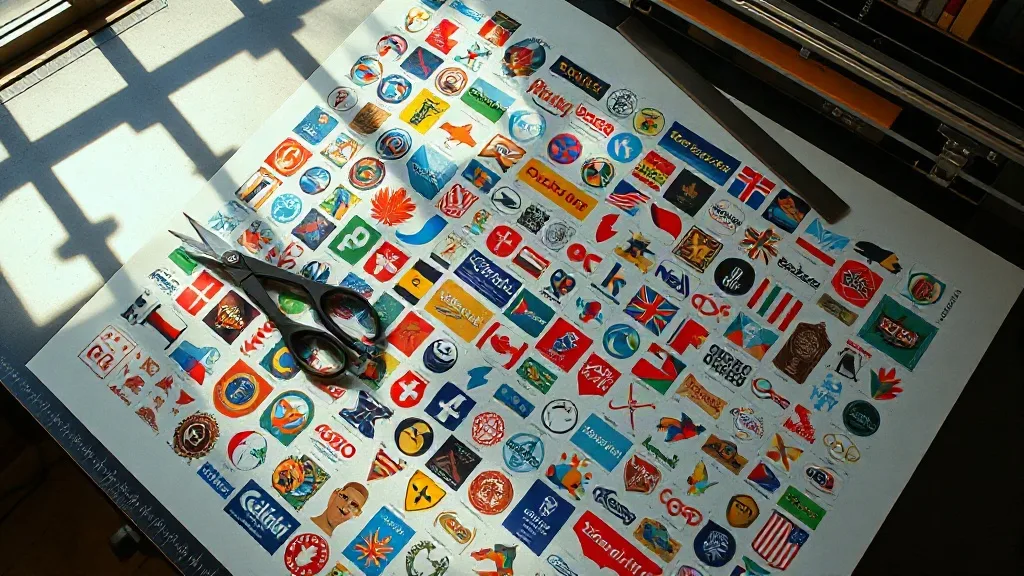
Most print shops discover DTF Gangsheet workflows the hard way. A customer orders twelve shirts with a small chest logo, and the printer runs twelve separate films for a design that barely covers a quarter of the sheet. The transfers come out fine, but the waste is obvious the moment you look at the pile of trimmed-off film. Learning to gang designs together is one of the simplest ways to bring material costs down without touching your pricing or your quality.
This guide walks through how gangsheets work in practice, how to lay one out so it prints cleanly, and the habits that separate shops that save money from shops that create new problems for themselves.
What a Gangsheet Actually Is
A gangsheet is a single printed film carrying multiple designs arranged side by side. Instead of sending every job through the printer as its own file, you combine compatible designs onto one canvas, print once, and cut them apart afterward. The printer still does the same work per square inch, but you stop paying for empty space.
The savings show up in three places: film, ink and powder, and time. Film is the most visible, since a well-packed sheet can hold two to four times more artwork than a naive one-design-per-file approach. Ink and adhesive powder scale with printed area, so tighter nesting trims those too. Time matters most in busy weeks, because fewer print runs means fewer setup cycles, fewer purges, and less babysitting of the machine.
Gangsheets versus single-design transfers
Single-design films still make sense for large front prints, oversized back graphics, and anything that fills most of the sheet on its own. Ganging is for the small and medium stuff: left chest logos, sleeve hits, hat patches, neck labels, and the steady stream of small orders that quietly eat your margin.
How to Lay Out a Sheet That Prints Well
Layout is where most of the value is created or lost. A sheet that looks efficient on screen can print badly if the spacing is wrong or the designs fight each other on the film.
Leave real spacing between designs
Designs need breathing room. If two graphics sit too close, their ink edges can merge, and cutting them apart becomes a knife-work exercise that damages the transfer. A consistent gap of roughly a quarter inch between designs is a working baseline, and slightly more around designs with fine detail or heavy ink coverage.
Keep similar ink loads together
Group designs with comparable coverage. A solid black block next to a delicate line drawing creates uneven curing across the sheet, and you can end up with one area undercured while another starts to overheat. Sorting by ink density before you nest keeps the whole sheet in a similar range.
Add registration and cut marks
Small marks at the corners and between rows make trimming faster and more accurate, especially when you are cutting dozens of pieces by hand. They cost almost nothing in film and save a surprising amount of time at the trim table.
Orient for the cutter, not just the printer
If you cut with a plotter or a guillotine, align designs so the cuts are straight and repeatable. Rotating a design to squeeze it into a gap may gain a few square inches but can turn a single straight cut into three awkward ones.
Building a Repeatable Gangsheet Workflow
The shops that get consistent results treat ganging as a process rather than a one-off trick. A workable sequence looks like this:
- Collect small jobs over a day or two and sort them by ink coverage and film type.
- Nest designs into the sheet canvas, keeping consistent gaps and adding cut marks.
- Check the total printed area against your film size before committing to print.
- Print, powder, and cure as one run, then trim and label each piece by order.
- Log the sheet: how much film was used, how many pieces came off it, and what got wasted.
That last step is the one most people skip, and it is the one that tells you whether ganging is actually paying off. A simple spreadsheet with film used, pieces produced, and trimmed waste per sheet will show within a few weeks which layout habits work and which do not.
Common Mistakes That Cancel Out the Savings
Ganging fails in predictable ways. Watch for these:
- Overpacking. Cramming designs edge to edge saves film on paper but creates trimming errors, merged edges, and reprints that cost more than the film ever did.
- Mixing incompatible film types. Different films and powder combinations cure differently. Keep them on separate sheets.
- Ignoring cure balance. A sheet with wildly uneven ink coverage can leave some transfers undercured and prone to washing out.
- Forgetting order tracking. Once designs are cut apart, unlabeled pieces become a guessing game. Label as you trim, not afterward.
- Ganging large graphics. A design that fills most of the sheet gains nothing from being ganged and complicates trimming.
When Ganging Is Worth It and When It Is Not
The math is straightforward. If a design covers less than roughly a third of your sheet, ganging almost always helps. If it covers more than half, the gains shrink and the handling risk grows. In between, it depends on your order volume and how much time you spend trimming.
For shops running a steady flow of small orders, ganging is close to free money. For shops that mostly print large front and back graphics, the benefit is smaller, and it may be smarter to focus on film selection and cure settings instead.
Frequently Asked Questions
How much film can a gangsheet realistically save?
It depends entirely on design sizes and how well you nest them. Shops printing many small logos often cut film use substantially compared with one design per file, while shops with mostly large graphics see little difference. Track your own numbers rather than relying on a general figure.
Can I mix different garment types on one gangsheet?
You can, as long as the transfers themselves use the same film and powder and are cured together. What you should avoid is mixing film types or powder grades on a single sheet, since the cure settings will not match for both.
Does ganging affect transfer quality?
Not if the layout is done properly. Quality problems usually come from spacing that is too tight, uneven ink coverage across the sheet, or undercuring. Keep consistent gaps, group similar ink loads, and verify cure settings before running a full sheet.
How should I cut a gangsheet apart?
Use the registration marks you added during layout and cut with a straight edge, guillotine, or plotter. Trim on a clean surface and label each piece immediately so orders do not get mixed up. Sharp blades matter more than speed here.
Is a gangsheet worth it for very small orders?
Yes, and this is where it helps most. A single small logo on its own film is the least efficient use of material possible. Waiting to collect a few small jobs before printing one combined sheet turns those orders from marginal into profitable.