
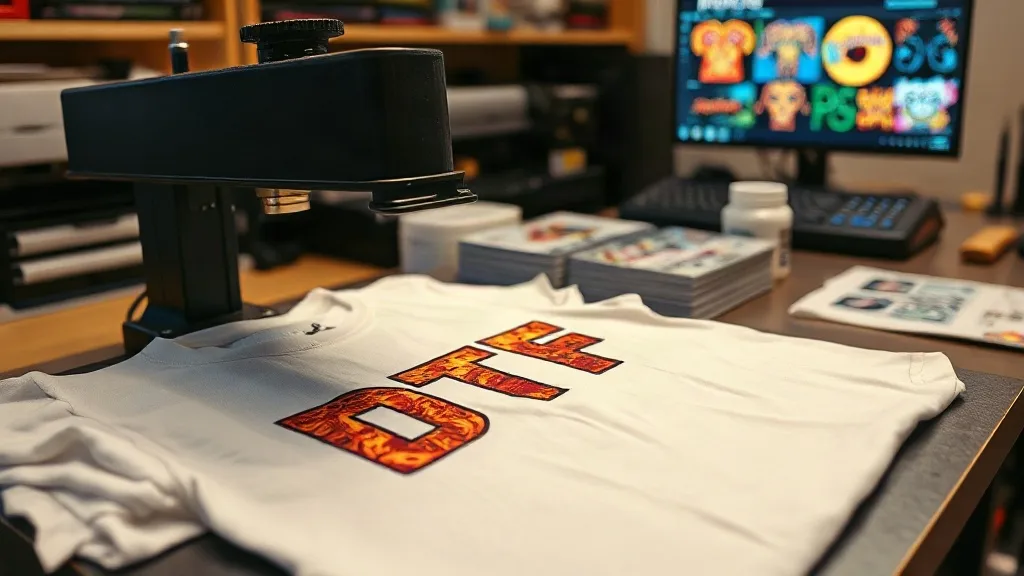
Imagine unboxing a custom-printed t-shirt that looks like it came straight from a professional screen-printing shop, but you made it in your garage with a heat press and a sheet of film. That's the promise of dtf transfers, a digital printing method that has exploded in popularity among small businesses, crafters, and DIY enthusiasts. Unlike vinyl or sublimation, DTF (Direct to Film) works on almost any fabric, including cotton, polyester, and blends, without the need for pre-treatment or special coatings. In this guide, I'll walk you through the entire DTF process, sharing practical tips I've picked up from countless hours of trial and error. Whether you're just starting or looking to refine your technique, this article will help you achieve professional-looking results at home.
What Are DTF Transfers and Why They Matter
DTF transfers are printed designs on a special film that are then adhered to fabric using a heat press. The process involves printing your design onto a PET film with a specialized printer using water-based pigment inks, applying a hot-melt adhesive powder, and then pressing the film onto the garment. Once cooled, the film is peeled away, leaving a vibrant, durable print that stretches with the fabric. This method has gained traction because it eliminates the need for weeding, layering, and specialty papers required by other techniques. It's also incredibly versatile: you can print full-color photographs, fine details, and gradients with ease. For small businesses, dtf printing offers a low-cost entry point into custom apparel without sacrificing quality.
Setting Up Your DTF Printer and Materials
Before you dive into printing, you'll need the right equipment. A DTF printer is the core investment; these are typically modified inkjet printers that use pigment inks. You'll also need DTF film, hot-melt adhesive powder, and a heat press. When choosing a printer, consider your volume and budget. Entry-level models start around $3,000, while industrial-grade machines can cost upwards of $15,000. For beginners, a reliable mid-range printer from a reputable brand is a good starting point. Don't skimp on the film and powder; low-quality supplies can lead to clogged printheads and poor adhesion. I learned this the hard way when I tried to save a few bucks on generic film, only to end up with a mess of smeared ink and frustrated customers.
Choosing the Right Film and Powder
Not all DTF films are created equal. Cold-peel film is more forgiving for beginners because it allows the transfer to cool completely before peeling, reducing the risk of distortion. Hot-peel film, on the other hand, requires peeling while the transfer is still hot, which can be tricky but speeds up production. For powder, you'll find fine, medium, and coarse grades. Fine powder works well for detailed designs, while medium is a good all-rounder. Always store powder in an airtight container to prevent moisture absorption, which can cause clumping and uneven adhesion.
Step-by-Step DTF Printing Process
Let's break down the process into manageable steps. First, prepare your design in a graphics program like Photoshop or Illustrator. Ensure your image is high resolution (300 DPI) and mirrored horizontally before printing. This is crucial because the film will be flipped when pressed onto the fabric. Load your DTF printer with film and ink, and send the job to print. The printer will lay down a layer of white ink first (if your design has white areas) followed by color inks. Once printed, carefully remove the film from the printer and place it on a flat surface.
Applying Adhesive Powder
While the ink is still wet, sprinkle the hot-melt adhesive powder evenly over the printed area. Shake off the excess and return it to the container for reuse. Then, place the film in a curing oven or under a heat gun to melt the powder. The powder should turn from a matte white to a glossy, slightly translucent layer. This step is critical; undercuring leads to poor washability, while overcuring can cause the powder to yellow and become brittle.
Pressing the Transfer
Set your heat press to the recommended temperature for your fabric (usually around 300°F to 320°F). Place the garment on the press, position the transfer film on top with the printed side facing up, and press for 10-15 seconds with medium pressure. For cold-peel film, remove the garment from the press and let it cool completely before peeling the film. For hot-peel, peel immediately. After peeling, cover the design with a Teflon sheet or parchment paper and press again for 5-10 seconds to ensure the transfer is fully embedded into the fabric.
Common DTF Mistakes and How to Avoid Them
Even experienced printers run into issues. Here are some common pitfalls and their solutions:
- Ink smudging during printing: This often happens if the printhead is clogged or the film is not loaded correctly. Run a nozzle check and clean the printhead regularly.
- Powder not sticking: If the ink is too dry, the powder won't adhere. Ensure your printer is set to the correct ink density and print in a humidity-controlled environment.
- Transfer peeling after washing: This is usually due to insufficient pressure or incorrect temperature during pressing. Use a heat gun to check the temperature of your press and adjust pressure if needed.
- Color fading: Exposure to sunlight and repeated washing can cause colors to fade over time. Use high-quality inks and follow care instructions.
I once had a batch of transfers that looked perfect until the first wash, when the corners started lifting. After some investigation, I realized my heat press was not applying even pressure across the platen. A simple adjustment to the pressure knob fixed the issue.
Finding DTF Transfers Near You
If you're not ready to invest in your own printer, you can still enjoy the benefits of DTF by ordering transfers from a local provider. Searching for dtf transfers near me will connect you with print shops that can produce high-quality transfers on demand. This is a great option for small orders or if you want to test designs before committing to equipment. When choosing a provider, ask about their turnaround time, film quality, and whether they offer cold-peel or hot-peel options. Supporting local businesses also reduces shipping times and environmental impact.
Frequently Asked Questions
Can I use DTF transfers on dark fabrics?
Yes, DTF transfers work beautifully on dark fabrics because the white ink layer provides a bright base for colors. Just ensure your design includes a white underbase if needed.
How durable are DTF transfers?
When applied correctly, DTF transfers can withstand 50+ washes without significant fading or cracking. Always follow care instructions: wash inside out in cold water and avoid ironing directly on the print.
Do I need a special printer for DTF?
You can convert a standard inkjet printer to DTF using DTF inks and film, but dedicated DTF printers are recommended for consistent results and less maintenance.
What fabrics work best with DTF?
DTF adheres well to cotton, polyester, blends, and even some nylons. It's not recommended for fabrics with heavy coatings or waterproof finishes.
How long does the DTF transfer process take?
From printing to pressing, a single transfer can be completed in about 10-15 minutes, depending on the curing method. Batch production is more efficient.
Mastering DTF transfers takes practice, but with the right tools and techniques, you can produce stunning custom apparel that rivals professional shops. Remember to start with quality supplies, follow the steps carefully, and don't be afraid to experiment. For more tips and resources, explore our site at dtf.