
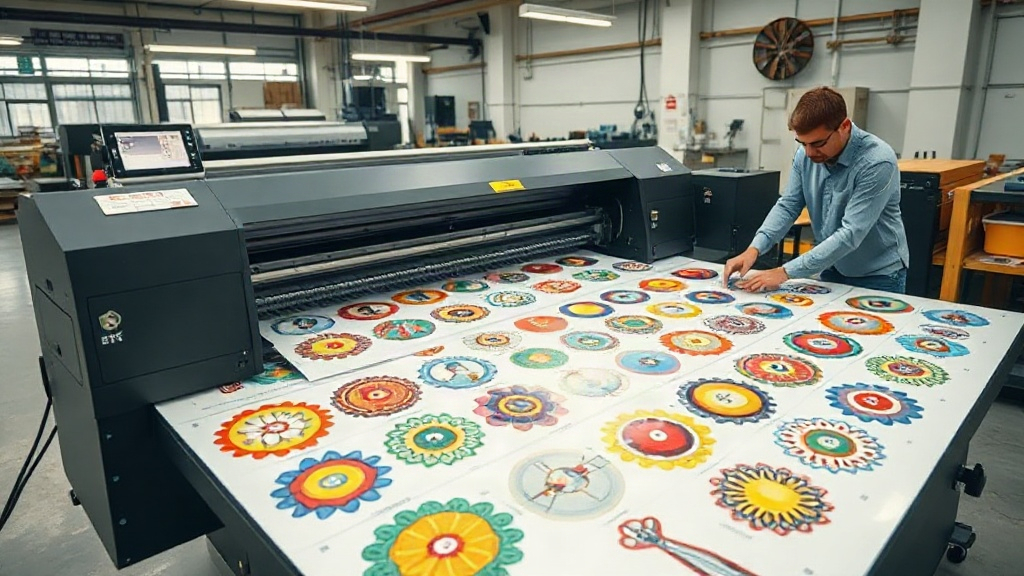
If you are in the custom apparel business, you have likely heard about DTF printing. This technology has revolutionized the way we transfer designs onto fabrics, offering vibrant colors and durability. But did you know that you can maximize efficiency and reduce waste by using a DTF gangsheet? In this guide, we will explore what a DTF gangsheet is, how to create one, and why it should be a staple in your printing arsenal.
What is a DTF Gangsheet?
A DTF gangsheet is a large sheet of transfer film that contains multiple designs printed together in a single layout. Instead of printing each design individually, you arrange them on a single sheet, which is then printed, powdered, and cured in one go. This method is similar to gang printing in traditional offset printing, where multiple jobs are combined to save time and materials.
The term "gang" refers to grouping multiple items together. In the context of DTF printing, a gangsheet allows you to print several designs at once, regardless of whether they are for the same customer or different orders. This is particularly useful for print shops that handle many small orders or need to produce a variety of sizes and designs quickly.
Why Use a DTF Gangsheet?
There are several compelling reasons to adopt DTF gangsheets in your production process. Let's dive into the main benefits.
Cost Efficiency
One of the biggest advantages of using a DTF gangsheet is cost savings. DTF printing involves consumables like film, ink, and powder. By printing multiple designs on one sheet, you maximize the use of each sheet of film and reduce waste. Additionally, you save on labor costs because you handle fewer setups and less manual handling. The time saved can be redirected to other profit-generating activities.
Time Savings
Time is money in the printing business. With a DTF gangsheet, you can print a large batch of transfers in a single pass through the printer. This is much faster than printing each design separately, which involves repetitive setup and waiting for each print to finish. The curing and powdering steps are also done once for the entire sheet, further speeding up production.
Consistency and Quality
When you print multiple designs on the same sheet, they all go through the same printing, powdering, and curing conditions. This ensures consistent quality across all transfers. There is less variation in color vibrancy and adhesion because the entire sheet is processed uniformly. For businesses that require consistent output, this is a significant advantage.
Versatility
DTF gangsheets are incredibly versatile. You can mix and match designs of different sizes and shapes on one sheet. This makes it easy to produce a variety of products, from small logos for left-chest prints to large back designs. Whether you are printing for a sports team, a corporate client, or a batch of online orders, a gangsheet can accommodate diverse needs.
How to Create a DTF Gangsheet
Creating a DTF gangsheet requires careful planning and the right tools. Here is a step-by-step guide to help you get started.
Step 1: Gather Your Designs
Collect all the designs you want to print. Ensure they are in a high-resolution format, preferably PNG with transparent backgrounds. Vector files can also be used but may need to be rasterized. Organize them by size and quantity to plan your layout efficiently.
Step 2: Choose the Right Film Size
DTF film comes in various widths, commonly 13 inches, 17 inches, and 24 inches. Choose a film size that matches your printer's capabilities and the total area of your designs. Larger films allow more designs per sheet but require a printer that can handle them.
Step 3: Use Gangsheet Builder Software
Many RIP (Raster Image Processor) software options include gangsheet building features. These tools allow you to import your designs and automatically arrange them on a virtual sheet to minimize wasted space. You can also manually adjust the layout. Popular software includes Cadlink, AcroRIP, and PrintExp. If you prefer a web-based solution, some online tools offer gangsheet builders specifically for DTF printing.
Step 4: Arrange Designs Efficiently
When arranging your designs, consider the following tips to optimize your gangsheet:
- Nesting: Place smaller designs in the gaps between larger ones to use every inch of film.
- Spacing: Leave at least 0.25 inches between designs to prevent overlapping during cutting and to make trimming easier.
- Orientation: Rotate designs if necessary to fit better, but keep in mind that some designs may have a preferred orientation for printing quality.
- Quantity: If you need multiple copies of a design, place them all on the sheet to avoid reprinting later.
Step 5: Print, Powder, and Cure
Once your gangsheet is laid out, send it to your DTF printer. After printing, apply hot melt adhesive powder evenly over the wet ink. Shake off excess powder, then cure the sheet in an oven or with a heat press according to the powder manufacturer's recommendations. The result is a sheet of transfers ready to be applied to garments.
Best Practices for DTF Gangsheets
To get the most out of your DTF gangsheets, follow these best practices:
- Keep a digital archive: Save your gangsheet layouts for future reference. If you need to reprint a popular design, you can quickly recreate the sheet.
- Test new designs: Before committing to a full gangsheet, print a small test to check color accuracy and adhesion.
- Maintain your printer: Regular maintenance ensures consistent print quality and prevents clogs that can ruin an entire gangsheet.
- Use quality supplies: Invest in high-quality film, ink, and powder. Cheap supplies can lead to poor transfer quality and wasted effort.
- Optimize for your market: If you often print small logos, create gangsheets with many small designs. If you do large back prints, adjust accordingly.
Common Mistakes to Avoid
Even experienced printers can make mistakes with DTF gangsheets. Here are some pitfalls to watch out for:
- Overcrowding: Placing designs too close together can cause ink to bleed and make cutting difficult. Always leave adequate spacing.
- Ignoring film orientation: Some films have a coated side that must face the printer. Printing on the wrong side will ruin the transfer.
- Inconsistent powder application: Too much powder can cause a rough feel, while too little leads to poor adhesion. Aim for an even, light coating.
- Skipping cure time: Under-curing results in transfers that peel off after washing. Always follow the recommended cure time and temperature.
- Not accounting for shrinkage: Some fabrics shrink after washing. If you are printing for a client, consider pre-shrinking or adjust design size accordingly.
Frequently Asked Questions
What is the difference between DTF and DTG printing?
DTF (Direct to Film) involves printing designs onto a film, powdering, curing, and then transferring to fabric. DTG (Direct to Garment) prints directly onto the fabric. DTF works on a wider range of fabrics, including cotton, polyester, and blends, while DTG is primarily for cotton. DTF also allows for gangsheets, which DTG does not.
Can I use a DTF gangsheet for small orders?
Absolutely. In fact, gangsheets are ideal for small orders because you can combine multiple small designs on one sheet, reducing waste and cost. You can print a variety of designs for different customers on the same sheet.
How do I store DTF transfers?
Store unused DTF transfers in a cool, dry place away from direct sunlight. Keep them in a sealed bag or container to prevent dust and moisture from affecting the adhesive. Properly stored transfers can last for several months.
What fabrics can I apply DTF transfers to?
DTF transfers adhere well to cotton, polyester, nylon, leather, and blends. They are not recommended for fabrics with a heavy texture or those that cannot withstand the heat of the transfer press (typically 300-350°F).
Do I need a special printer for DTF gangsheets?
Yes, you need a DTF printer that uses pigment ink and is designed for film printing. Converted inkjet printers are common, but dedicated DTF printers offer better reliability and quality. The printer should be capable of handling the width of film you plan to use.
Conclusion
DTF gangsheets are a game-changer for print shops looking to increase efficiency, reduce costs, and maintain high quality. By mastering the art of gangsheet creation, you can take on more orders, satisfy customers with quick turnaround times, and stay ahead of the competition. Remember to plan your layouts carefully, use quality supplies, and follow best practices. With these tips, you will be well on your way to optimizing your DTF printing process.