
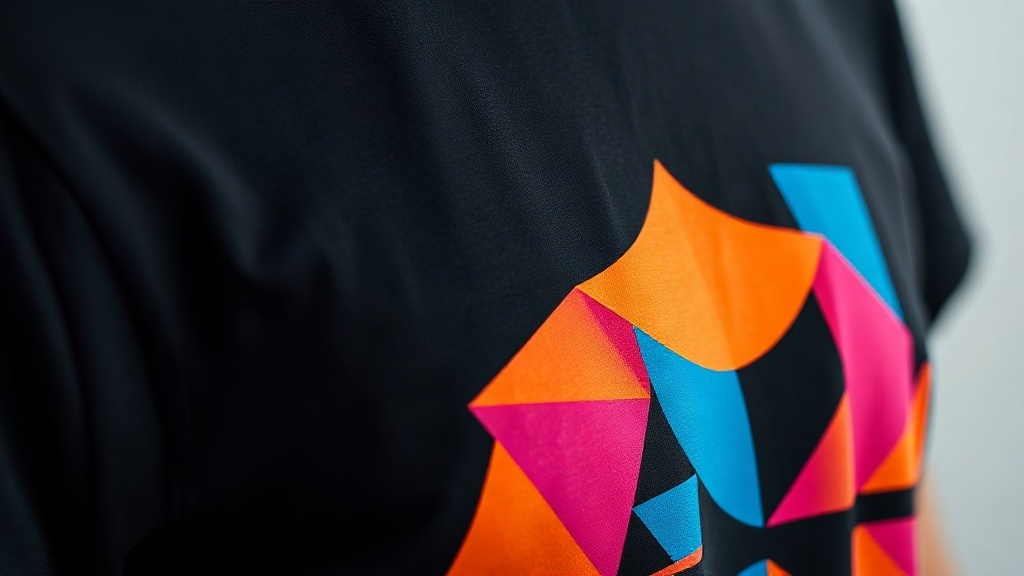
When you pull a black hoodie from the press and peel back the film, the last thing you want is a dull, cracked design. Dark garments are notoriously difficult for traditional printing methods, but DTF printing changes the game. Unlike screen printing or DTG, DTF uses a special adhesive powder and transfer film that bonds brilliantly to dark fabrics, delivering vibrant colors and fine details that pop. Whether you're a small shop owner or a DIY enthusiast, understanding how DTF works on dark garments can save you time, money, and frustration.
Why DTF Printing Shines on Dark Fabrics
Dark fabrics absorb light, which can make colors appear muted. Traditional methods like DTG require a white underbase to make colors visible, adding complexity and cost. DTF printing, however, uses a white ink layer that's printed as part of the design on the transfer film. When heat-pressed, this white layer acts as a bright foundation, allowing colors to stand out vividly. Plus, the adhesive powder creates a strong bond that flexes with the fabric, so your prints won't crack or peel after a few washes.
Color Vibrancy
On dark shirts, colors can look washed out if not printed correctly. DTF transfers include a white ink base that's applied during the printing process, so even pastels and neons remain bright. The pigments in the CMYK inks are formulated to sit on top of this white layer, resulting in high opacity and rich saturation.
Durability
Dark garments often undergo more wear and tear because they hide stains, so people wash them less frequently? Actually, the opposite: dark clothes show lint and dust, leading to more frequent washing. DTF prints are known for their stretchability and wash resistance. The TPU adhesive powder creates a flexible bond that moves with the fabric, preventing cracks. When applied correctly, a DTF print can outlast the garment itself.
Step-by-Step: DTF Printing on Dark Garments
Getting a perfect DTF transfer on dark fabric requires attention to detail. Here's a breakdown of the process, from design to final press.
1. Design Preparation
Start with a high-resolution image (300 DPI or higher). For dark garments, avoid designs with thin white lines or tiny text, as these can get lost against the dark background. Instead, use bold outlines or add a white border to make elements stand out. Remember that DTF prints are opaque, so any white areas in your design will be printed white, not transparent.
2. Printing the Transfer
Print your design onto DTF film using a dedicated DTF printer with pigment inks. The printer lays down CMYK inks followed by a white ink layer. The white layer is crucial for dark garments because it provides the backing that makes colors visible. Ensure your printer settings are calibrated for the film type you're using; too much ink can cause smudging, while too little can lead to weak adhesion.
3. Powder Application
While the ink is still wet, sprinkle TPU adhesive powder evenly over the transfer. Shake off excess powder, then cure the film in an oven or with a heat gun until the powder melts and becomes glossy. This step is what gives DTF prints their stretch and durability.
4. Heat Pressing
Preheat your heat press to 325°F (160°C). Place the transfer on the garment with the powder side down. Press for 10-15 seconds with medium pressure. For dark garments, a second press of 5-10 seconds after peeling the film (hot peel) can improve adhesion. Always use a Teflon sheet or parchment paper to protect the print.
5. Post-Press Care
After pressing, allow the garment to cool completely before stretching or wearing. Wash inside out in cold water and tumble dry low to extend the life of your DTF print.
Common Challenges and Solutions
Even with the best equipment, issues can arise. Here are typical problems when DTF printing on dark garments and how to fix them.
- Colors look dull: Increase the white ink layer in your design or check that your printer's white ink channels are not clogged. Also, ensure you're using high-quality DTF film designed for dark fabrics.
- Print peels after washing: This usually indicates insufficient pressure or incorrect temperature during heat pressing. Verify your press settings and try a longer press time. Also, ensure the garment is free of fabric softener before pressing.
- Cracking: Cracking often happens if the print is stretched too much or if the adhesive powder wasn't fully cured. Use a stretchable DTF powder and avoid over-stretching the garment when wearing.
- White ink not opaque enough: Some printers allow you to double-print the white layer. If your design has large white areas, consider adding a second white pass in your RIP software.
Design Tips for Dark Garments
Not all designs work well on dark fabrics. Here are some guidelines to ensure your DTF prints look their best.
- Use contrasting colors: Light and bright colors pop against dark backgrounds. Avoid dark blues, purples, or browns that can blend in.
- Add white outlines: A thin white border around your design can help separate it from the dark fabric, making it more visible.
- Test small: Before committing to a large print, do a small test patch to see how colors appear on the actual garment.
- Consider negative space: Let the dark fabric show through in parts of your design for a modern, minimalist look. DTF allows for fine details, so you can play with transparency and layering.
Frequently Asked Questions
Can I use DTF printing on 100% cotton dark shirts?
Absolutely. DTF printing works on a wide range of fabrics, including 100% cotton, blends, and even polyester. The key is to adjust your heat press settings based on the fabric type. For cotton, a slightly higher temperature may be needed for optimal adhesion.
How do I prevent the white ink from looking too thick on dark garments?
To avoid a thick, rubbery feel, ensure you're using a high-quality DTF film and powder. Also, calibrate your printer to apply the minimal amount of white ink needed for opacity. In your design software, you can reduce the white underbase if the design has large white areas that will be printed anyway.
What's the best way to wash a dark garment with a DTF print?
Turn the garment inside out and wash in cold water with mild detergent. Avoid bleach and fabric softeners, as they can degrade the adhesive. Tumble dry on low or hang dry. Following these steps will keep your DTF print looking new for years.
Why does my DTF print look faded after washing?
Fading can occur if the print wasn't cured properly or if the garment was washed in hot water. Make sure the adhesive powder is fully melted during curing and that you're using the correct heat press settings. Also, check that your ink is not expired; old ink can lose vibrancy.
Can I layer DTF prints on dark garments?
Yes, you can layer DTF transfers to create multi-color designs. However, each layer adds thickness, so it's best to keep layering minimal. For complex designs, it's easier to print the entire design as one transfer rather than layering multiple transfers.